Product
One platform for every workflow you run
From a nightly file transfer to a multi-server release with approvals, Situate designs, schedules, runs and audits it all.
Design
Build workflows on a visual canvas from a palette of ready-made tasks. No code required, with scripting when you want it.
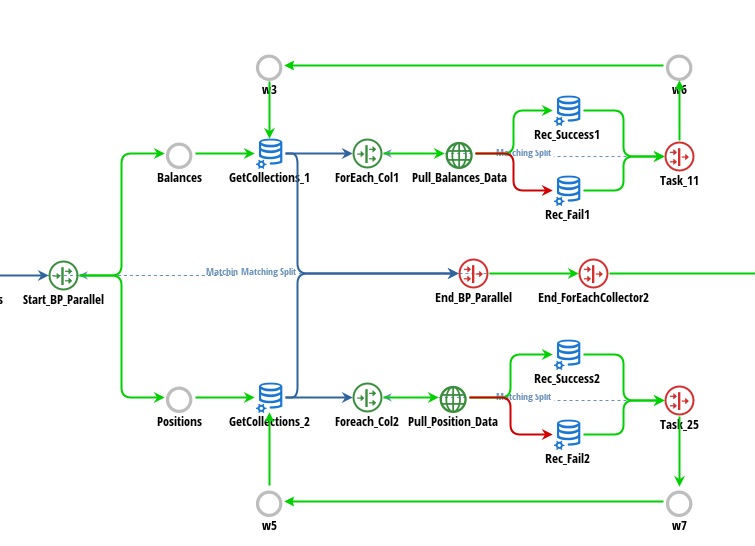
- Visual workflow designer
- Triggers start the workflow, tasks do the work, and the connections between them decide what happens next. Branch, loop and run paths in parallel, all on the canvas. Annotations make every diagram self-documenting.
- Task groups
- Groups act on the tasks inside them. Retry/Catch reruns them from the first task after a failure, Timeout stops them if they run too long, and Substitute User runs them with another account’s credentials.
- Ready-made tasks
- Commands, file transfer and file operations, services, databases, CSV to database, email, REST calls, data transforms, reports and more.
- Flow control
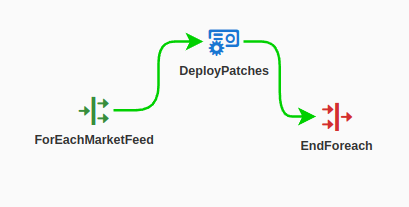
- Split and join start and end parallel execution or loops. Delays and waits synchronize data. Sub-workflows allow one workflow to call another.
- Expressions and templates
- Add logic with JavaScript-like expressions and templates. They are designed to be low-code, but can be as complex as the job needs, and AI can help you write the complex ones.
- Applications and Systems
- Situate can also manage the lifecycle of your critical processes. Organize a set of your applications into a system to build an orderly start/stop process with monitoring, restarts and centralized log files.
Schedule and trigger
Start work exactly when it should run, whether that is a calendar date, a file landing or another workflow finishing.
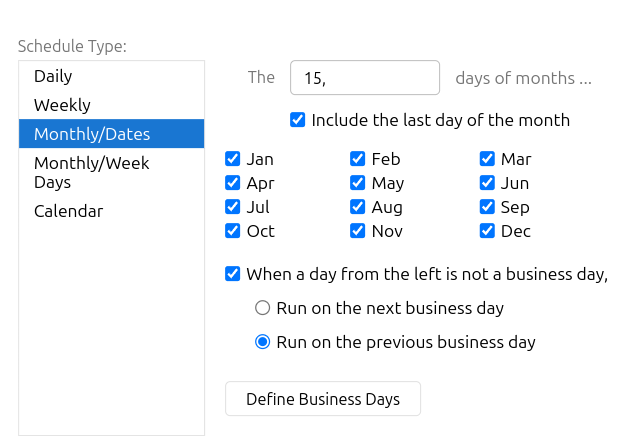
- Compound schedules
- Express rules like “every 10 minutes until 4:00 AM” or “next business day” in any time zone.
- Business calendars
- Holiday and weekend adjustment, plus calendars imported from .ics feeds such as Google Calendar.
- File triggers
- Start a workflow when a file arrives, or only once a whole set of files is ready. Each file must reach a minimum size and stop changing first, so a transfer still in progress never starts the run. The workflow gets the names of the files.
- Action triggers
- Start a workflow from other automation, through MCP or the REST API, with parameters passed in. Each action trigger can carry a rich-text description with examples, so AI can make good decisions about when to call it and what to pass.
- Schedule Analyzer
- Preview exactly when a schedule will fire before you turn it on, and view forecasts in any time zone.
Run anywhere
A central server coordinates agents on every machine you automate, from one server to thousands.
- Cross-platform agents
- Support for all Windows versions and all popular Linux distributions. Run bash, cmd and PowerShell commands where the work lives.
- Agentless SSH
- Reach servers where you cannot install an agent with SSH-based tasks.
- Managed file transfer
- Audited transfers with changes-only and differential modes, compression and bandwidth management.
- Load balancing
- Spread work across groups of servers and keep running when one is busy or offline.
Multi-agent platform
What you install on each machine is a container for agents. They go far beyond running commands and moving files, and report a wealth of information about the machine they live on.
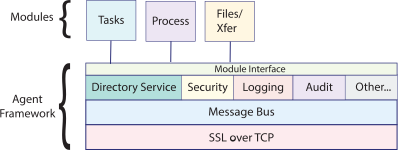
- One container, many agents
- A single install hosts the agents for commands, SSH, file transfer, email, web services and file monitoring, alongside the agents that watch the machine itself.
- Hardware and firmware
- Read the DMI tables for the BIOS version and the system, motherboard and chassis details, and list every PCI device.
- Disks and file systems
- Map disks and partitions with their model, vendor, size and whether each is an SSD or a spinning disk. Watch file system capacity, mounts and performance.
- Network adapters
- Watch the traffic in and out of every network adapter, along with its errors and dropped packets.
- Processes and services
- Track CPU and memory use, processes, and Windows services and applications, with alerts when something stops or runs hot.
Monitor and recover
See every run as it happens and get the right people involved only when it matters.
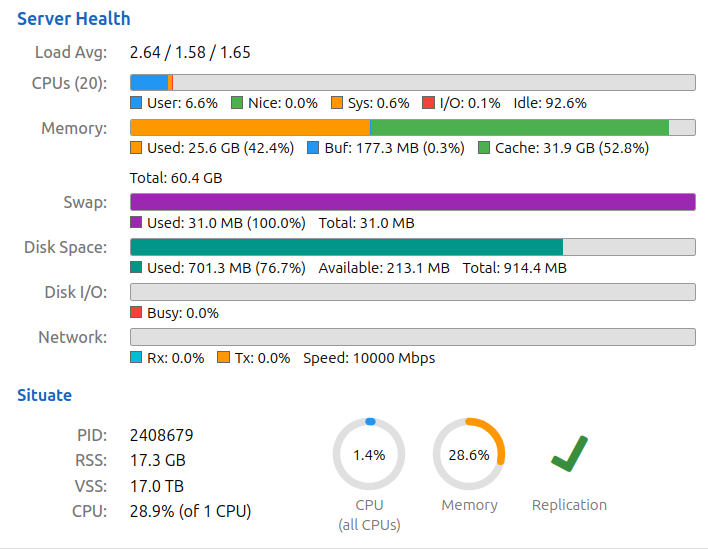
- Real-time monitoring
- Watch active workflows, drill into any instance and read task logs from the console.
- Alerts and escalation
- Alert levels up to Urgent. Notification runs as a workflow, so escalation follows your rules.
- Alert integration
- Integrate alerts into your existing monitoring solution. Every alert can go to your own script or tools as JSON, for paging, SMS or ticketing.
- High availability
- Replicate the primary server live to a warm standby, with regular verification, and promote it when you need to.
Secure and audit
Control who can see, change and run every object, and prove it to auditors.
- Operating System Credentials
- Everything in Situate runs as a user authenticated by the operating system it runs on. Period. Users save their credentials for each domain or machine, and Situate picks the right one for the machine each task runs on, even across different domains. Databases, REST APIs and other endpoints work the same way, with passwords, API keys or key pairs.
- Role-based access
- Access control lists are enforced on every object, every time someone acts on it, and give very granular access: allow and deny rules for each user or group, verb by verb, such as Read, Write and Execute.
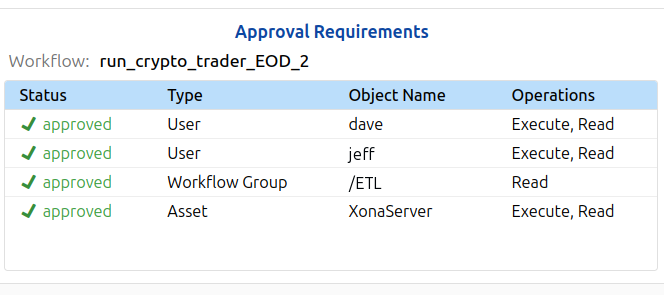
- Approvals and change control
- Submit, review and approve workflow changes before they go live. A change can require approval from more than one person, to support ITIL-style change management.
- Encrypted everywhere
- Certificate-based agent enrollment and TLS on every connection.
- Detailed audit trail
- Who changed, approved and ran what, and when, with the detail you need for SOC 2 compliance. Search it from the console, the API or with AI.
Integrate
Anything you can do in the console you can do from code.
- REST API
- Manage workflows, assets, users, groups, audit logs and queue history over REST.
- Python examples
- Comprehensive Python examples for the REST API, ready to use as the starting point for your own scripts.
- MCP server
- Let AI assistants and agents browse, start and control workflows with the permissions you grant.
- Webhooks and email
- Call out to other systems with REST and webhook tasks. Send and receive email with any SMTP or IMAP server, or with Office 365.
Want to see AI in action? Read how the assistant, AI tasks and the MCP server work together.
AI in SituateSee what your install would cost.
It takes about a minute, and you can buy right from the quote.